
In This Article:

Ask AI about this article
OpenAI
Claude
Perplexity
Google Gemini

Distru MCP: Your Cannabis ERP in Claude and ChatGPT

Distru Team  |
Updated
November 4, 2026
Ask your ERP. Get a live answer. Distru blog header.
TL;DR

• The Distru MCP connects Claude, ChatGPT and other AI tools to live Distru data, so your team asks questions and builds workflows its own way instead of exporting reports.

• Each person signs in with their own Distru login, so the AI sees and changes only what their role allows, and assemblies save as pending for your team to complete.

• Setup takes four steps: copy the URL from the Distru sidebar, add a custom connector in Claude or ChatGPT, paste it, and sign in. It's free at launch.

Who owes us money, and who should we call first? It's a simple question. In most cannabis businesses, answering it means an invoice export, a download, a CSV pasted into ChatGPT and 30 minutes of cleanup. By the next day the numbers are stale and you do it again.

The new Distru MCP ends that loop. You know your business, and Distru knows the technology. The MCP puts the two together: your questions, your workflows and the AI tools you already use, running on Distru's live data. Here's what it is, what your team can ask it on day one, what it can change, and how to connect it in about four steps.

What is the Distru MCP?

The Distru MCP is a connector that lets Claude, ChatGPT and other AI tools read your live Distru data and, in stages, make changes to it. You ask about orders, inventory, invoices or compliance in plain English, and the answer comes from what's in Distru right now, with no exports.

MCP stands for Model Context Protocol, an open standard for connecting AI assistants to business software. If you want the background, our guide to what an MCP server is covers it in plain terms. Distru, the cannabis ERP built for licensed brands, cultivators, manufacturers and distributors, is the system of record the MCP reads from. The Distru MCP is free at launch.

The export loop it replaces

Most teams already use AI with their Distru data. In our customer survey, 51 of 54 respondents said they use AI at work, 36 of them in Claude and 30 in ChatGPT. The problem is how the data gets there.

  • Exports go stale. An answer is only as fresh as the last CSV someone downloaded.
  • Joining data means copy and paste. Matching a Distru report to a spreadsheet is still manual work.
  • Answers depend on one person. Only the people who know which report to run can get the number.

With the MCP, your AI asks Distru directly. Every answer reflects live data, and executives, reps and ops leads can ask their own questions.

What can your team ask the Distru MCP?

Here are five questions teams are already asking. Copy any of them and swap in your own customers, products and dates.

Who owes us money, and who should I call first?

Ask it to grade every account A to F on how it pays, list open invoices by days past due, and rank who to call first. It reads open invoices, payments and balances, then drafts a follow-up for the accounts at the top. One sales director said the grading alone used to take more than an hour.

Which orders have been sitting more than four days?

Ask for every sales order older than four days, with the customer, status and value. If your AI tool supports scheduled tasks, you can run it on a schedule, so stalled orders show up before the customer calls to ask.

What are my days on hand, and what needs to be scheduled?

Ask for weighted days on hand by brand, product and strain type from the last 90 days of sales, plus every SKU below par. Your planner gets the list without rebuilding the spreadsheet every week.

Pull my month-end close reports and check QuickBooks

Ask for the month's COGS, inventory valuation and invoice history, plus any orders missing COGS and any invoices that failed to sync to QuickBooks. One business owner found seven invoices that never reached QuickBooks this way.

Is this order clear to ship?

Ask it to check a sales order: is the buyer's license active, does every batch have a passing COA, is anything on hold. It answers line by line, so your compliance manager sees the failing line before the order goes out.

Stop exporting reports. Just ask. Distru MCP. Distru.

What can the Distru MCP change, and what stays in Distru?

Reading is where most teams start. Write tools let the AI do the work in Distru too, and they roll out in stages as each one is tested.

  • Products and records: create and update products, batches, companies, contacts and licenses. In one test, 150 strains were created as products in six minutes.
  • Finance: create invoices, payments and credits, sync to QuickBooks and email invoice PDFs.
  • Operations: create purchase orders and assemblies, move stock and update menus.

Ask your Distru rep which write tools are live for your account before you build a workflow on one.

Your permissions, your AI settings

Each person connects with their own Distru login, so the AI sees and changes only what that person's Distru role allows. Whether it asks before making a change depends on that person's settings in Claude or ChatGPT. For anything that matters, ask it to show you the draft first. Our post on what happens when AI gets access to your ERP goes deeper on scoping access.

Metrc stays with your team

Assemblies created through the MCP are saved as pending. Your team completes them in Distru, which is the step that reports to Metrc. The MCP can't create sales orders. Order entry stays with your team in Distru, or with the AI Order Agent if you use DistruCommerce.

How to connect Claude or ChatGPT to Distru

Setup takes four steps, and you don't need an API key.

  1. Copy the URL. Open Distru MCP in the Distru sidebar and copy the connection URL.
  2. Add a custom connector. In Claude, follow Anthropic's guide to custom connectors. In ChatGPT, follow OpenAI's guide to MCP connectors.
  3. Paste the URL. Drop the Distru URL into the connector.
  4. Sign in. Log in with your Distru account. The connection runs as you.

Developers who want to build their own agent can start from the Distru developer docs.

How to build your own workflows on Distru

No two cannabis operations run the same way. Your pricing rules, your par levels and your follow-up cadence are what make your business yours. With Distru as the foundation, the MCP lets you turn them into workflows that run the way you work, instead of bending your team around someone else's screens.

  • Start with one question. Try "Who owes us money right now?" or "What's on hand for [brand]?"
  • Check the answer once. Compare it to the same number in Distru so your team trusts it.
  • Save what works. Turn prompts you repeat into saved prompts or skills, and share them by role.
  • Add your other tools. Connect your spreadsheets, CRM or Slack so one prompt can join them to Distru.
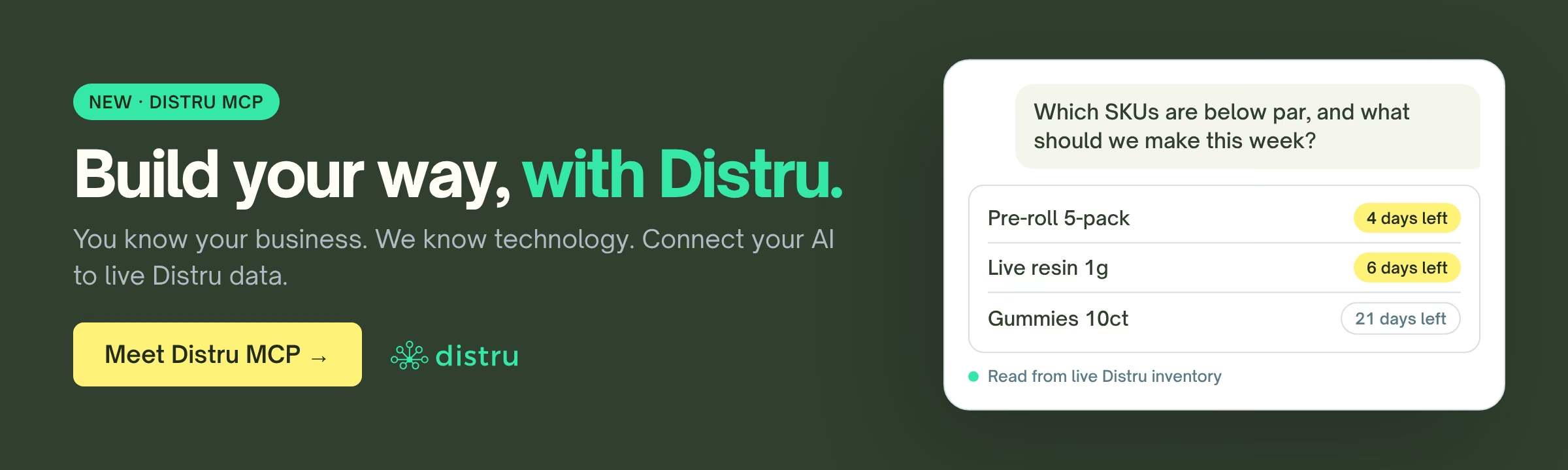
Build your way, with Distru. Distru MCP. Distru.

Build your way, with Distru

The Distru MCP runs on the same live data your team already keeps in Distru, across inventory, orders, invoices and compliance. It's the first step in making your software an expression of how you do business. If you're a Distru customer, talk to your Distru rep to get your team connected. If you're not on Distru yet, book a demo and we'll show you the MCP on a real account.


FAQs

What is an MCP server?

An MCP server is a connector that lets an AI assistant like Claude or ChatGPT use a piece of software through a set of tools. Each tool does one job, like searching records or running a report. MCP stands for Model Context Protocol, an open standard, so one server works with any AI tool that supports it, with no custom integration for each one.

Is it safe to connect an AI assistant to my ERP?

It can be, if the connection is scoped. The AI should run with the same permissions as the person who connected it, so it can't see more than they can. Reads and writes should be separated, with risky changes kept behind a draft or pending step. In a regulated business, keep state reporting with your team instead of handing it to the AI.

Do I need to code to connect Claude or ChatGPT to my business software?

No, not when the software offers a remote MCP server. You add it as a custom connector in Claude or ChatGPT, paste the server URL, and sign in with your account. The AI then picks the right tool from your question. Building your own agent or a scheduled sync is different, and that's where an API and some code come in.

Does Distru have an MCP server?

Yes. The Distru MCP connects Claude, ChatGPT and other MCP-compatible AI tools to your live Distru data. It reads sales, invoices, purchase orders, COGS, inventory, Metrc package data and QuickBooks sync activity, and write tools roll out in stages. Each person connects with their own Distru login, and it's free at launch.

Can the Distru MCP create sales orders or report to Metrc?

It can't create sales orders. Order entry stays with your team in Distru, or with the AI Order Agent if you use DistruCommerce. Assemblies created through the MCP save as pending, and your team completes them in Distru, which is the step that reports to Metrc. Ask your Distru rep which write tools are live for your account.

How do I connect the Distru MCP to Claude or ChatGPT?

Open Distru MCP in the Distru sidebar and copy the connection URL. In Claude or ChatGPT, add a custom connector, paste the URL, and sign in with your Distru login. You don't need an API key. The connection runs as you, so the AI sees and changes only what your Distru role allows.

The AI cannabis library

Free skills to put AI to work on your inventory, compliance and costing, and guides on where it actually saves time.

SKILL
Forecasting

Distru Production Forecast

Know how much of each product to make this week, based on real sell-through.

SKILL
Finance and COGS

Past-Due Invoice Emails

Draft one payment reminder per customer for every past-due invoice.

SKILL
Customer Management

Company List Clean-Up

Clean a state license export or lead list before it goes into your CRM.

SKILL
Compliance

Cannabis Inspection Readiness

Turn an upcoming state inspection into a checklist, binder index and gap list.

SKILL
Compliance

Cannabis Transfer Manifest Precheck

Check a B2B transfer before the driver leaves and get GO or HOLD per line.

SKILL
Purchasing

Cannabis Replenishment Planner

Turn sales and on-hand exports into a reorder plan and a draft PO by vendor.

SKILL
Compliance

Cannabis State Rules Lookup

Get a cited, dated answer to a state cannabis rule question.

SKILL
Operations

Cannabis Staff Scheduling Planner

Build a shift schedule that matches demand and stays inside your labor budget.

SKILL
Cultivation

Cannabis Harvest Yield Analysis

See which rooms and strains actually make money, from your own harvest data.

SKILL
Compliance

Cannabis Traceability Reconciliation

Find out why your physical count doesn't match Metrc or BioTrack.

SKILL
Compliance

Cannabis SOP Generator and Trainer

Turn process notes into an inspection-ready SOP and a staff training packet.

SKILL
Finance and COGS

Cannabis Batch COGS Calculator

Find out what a batch really costs per finished unit, line by line.

AI GUIDE
Blog

Why the Harness Matters More Than the AI Model

Two products can use the exact same AI model and perform completely differently. Here's why the harness, not the model, usually explains why.

AI GUIDE
Blog

What Is an Agent Harness? A Plain-English Primer

An AI model alone can't do much. The 'harness' around it is what makes it useful. Here's what that actually means, no jargon required.

AI GUIDE
Blog

Why MSOs Need an AI Strategy Before More Software

Adding another point solution won't fix an MSO's AI readiness problem. Here's why the data foundation has to come first.

AI GUIDE
Blog

The Supply Chain Buyer's Guide to AI Agents and MCP

Evaluating AI agent features in supply chain software? Here's a practical buyer's checklist, including what MCP means for your evaluation.

AI GUIDE
Blog

AI in Supply Chain: What's Hype, What's Working

AI in supply chain gets a lot of hype. Here's an honest look at what's actually delivering results in 2026, and what still needs a person.

AI GUIDE
Blog

Where AI Agents Fit in Cannabis Compliance

Not every step of your compliance workflow is a fit for AI. Here's a clear map of where it helps, and where it should stay hands-off.

AI GUIDE
Blog

The Skills Ops Teams Will Need When AI Agents Arrive

AI agents are coming for repetitive ops tasks in cannabis. Here's what your team needs to get good at instead, starting now.

AI GUIDE
Blog

What Happens When AI Gets Access to Your ERP

Giving an AI tool access to your cannabis ERP isn't all-or-nothing. Here's what real, scoped access looks like, and what to watch for.

AI GUIDE
Blog

AI and 280E: Where Automation Actually Saves Money

280E just got more complicated for mixed medical and adult-use operators. Here's where automated cost tracking actually helps, and its limits.

AI GUIDE
Blog

Can AI Forecast Wholesale Demand Better Than Excel?

Your wholesale forecast spreadsheet has limits. Here's what AI-assisted forecasting can actually add, and where a spreadsheet still wins.

AI GUIDE
Blog

Should Your Cannabis Business Have an AI Strategy?

You don't need to be an AI company to have an AI strategy. Here's a practical starting point for cannabis operators, no hype required.

AI GUIDE
Blog

What Is Claude Cowork? Could It Kill Data Entry?

Claude Cowork lets AI work directly in your files and tools. Here's what that means for the data entry eating your cannabis team's week.