AI Skill
Sales & Operations
Company List Clean-Up
Clean a state license export or lead list before it goes into your CRM.



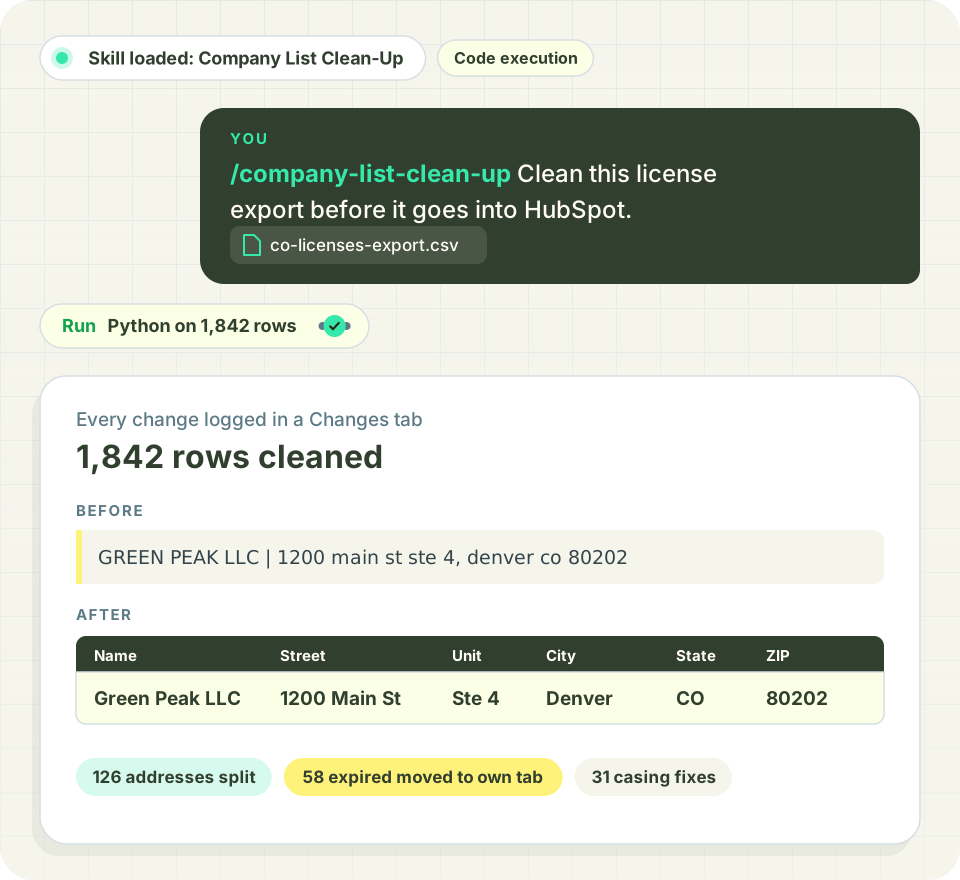
This is a starting template. Change the questions, thresholds and output to fit how you work. AI can make mistakes, so check the output before you act on it. Report an issue
The problem it solves
License exports arrive in all caps with shifted columns, bad addresses and expired licenses mixed in.
Upload a messy company list, like a state license export, trade show list or old CRM export, and the skill turns it into clean records ready to import. A bundled script does the work and logs every change.
It asks where the data came from and where it's going before it starts. If the list has a real expiration date column, it asks whether to drop expired, revoked or suspended licenses. Dropped records go to their own tab with the reason and are never deleted silently.
What you'll need
Have these ready before you start.
- A CSV, Excel file or Google Sheet of companies
- Where the data came from and where it's headed
- Optional: which license statuses to leave out
- Lists over a few hundred rows need an AI assistant that can run Python
What the AI does
- Moves values that landed in the wrong column back where they belong
- Fixes spacing, garbled characters and casing (only on all-caps or all-lowercase values)
- Splits addresses into street, unit, city, state, ZIP, county and country
- Fills or corrects state and county from the ZIP, and flags cities that don't match
- Formats emails, phones and dates and flags duplicates and incomplete rows
What you get
An Excel workbook with Cleaned, Needs Review, Excluded, Change Log, Column Profile and Summary tabs. In a sample run on 1,806 California retailer licenses, it kept 1,277 records, moved 529 expired, revoked or suspended ones to Excluded, realigned 6 shifted rows, filled state and county from the ZIP on 24, and flagged 29 for review.
Once your accounts are clean, Distru keeps licenses, contacts and order history on the same customer record your sales team works from.
Frequently Asked Questions
Let’s answer the most commonly asked questions about Cannabis Software.
What kinds of company lists can this skill clean?
State license exports, trade show lists, purchased lead lists and old CRM exports, as a CSV, Excel file or Google Sheet. In a sample run on 1,806 California retailer licenses, it kept 1,277 records and moved 529 expired, revoked or suspended ones to their own tab.
Does it delete expired or inactive licenses?
Not unless you ask, and never silently. When the list has an expiration date column, it asks which statuses to leave out. Removed records go to an Excluded tab with the reason, and every change is written to a Change Log.
How does it fix addresses?
It splits each address into Street, Unit, City, State, ZIP, County and Country, then uses a ZIP lookup to fill in a missing state or county. It corrects a county from the ZIP when the city matches. If the city and ZIP disagree, the row gets flagged for review.
How big a list can it handle?
A few hundred rows can run right in chat. Bigger lists need an AI assistant that can run Python, since the bundled script does the cleaning and logs each change. You get one Excel workbook with Cleaned, Needs Review, Excluded, Change Log, Column Profile and Summary tabs.

