Free AI skills for the work that eats your week.
Skills for compliance, costing, production and sales. Download one, run it in Claude on your own data, then change it to fit how you work.
Starter templates, not finished software. AI can make mistakes, so check the output before you act on it. If something looks off, tell us and we'll fix the skill.
Showing 12 of 12 skills







Build your way, with DistruMCP
Connect Claude or any MCP-compatible assistant to your live inventory, orders and compliance data.
AI guides for cannabis brands and distributors
Short reads on AI agents, MCP servers, and the data your team needs in place first.


Start with the ERP or Commerce, then add AI
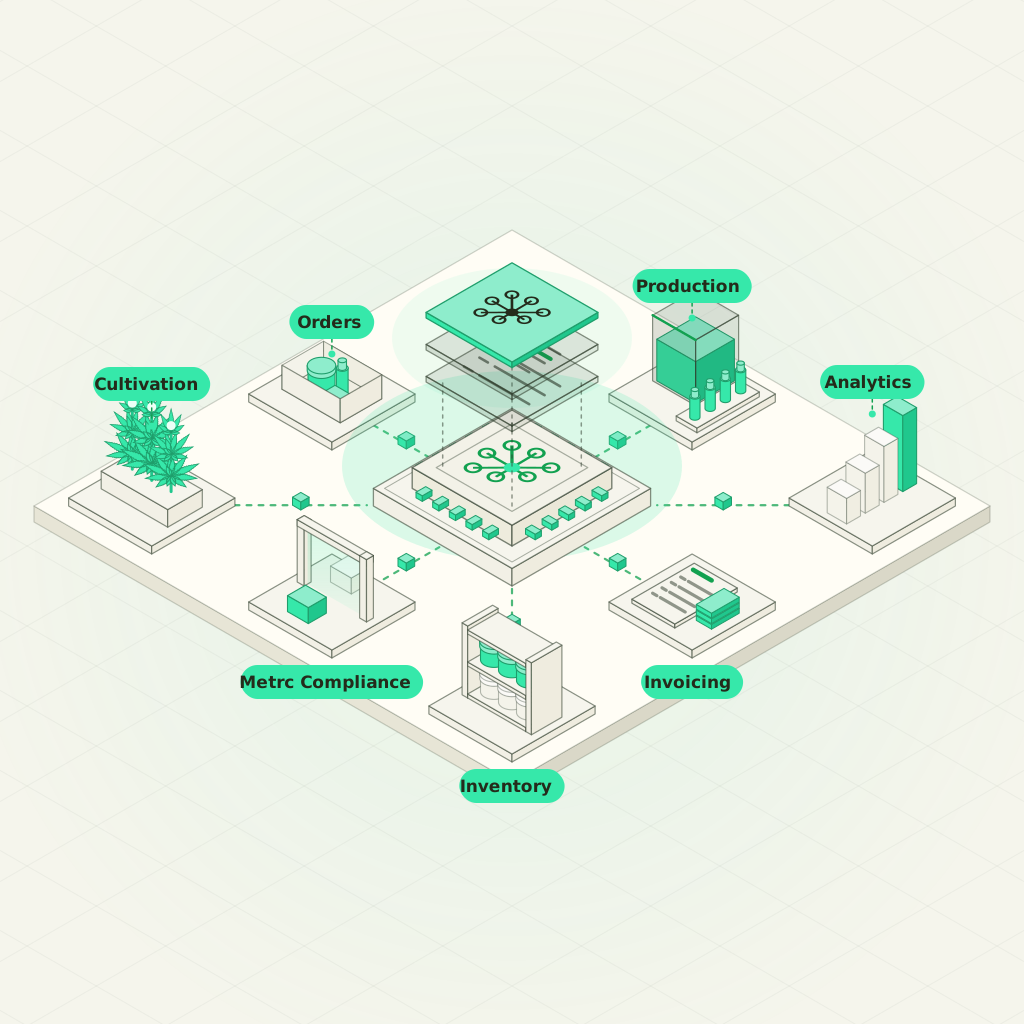
DistruERP
Inventory, production, purchase and sales orders, and Metrc compliance in one cannabis ERP. Built for brands and distributors.
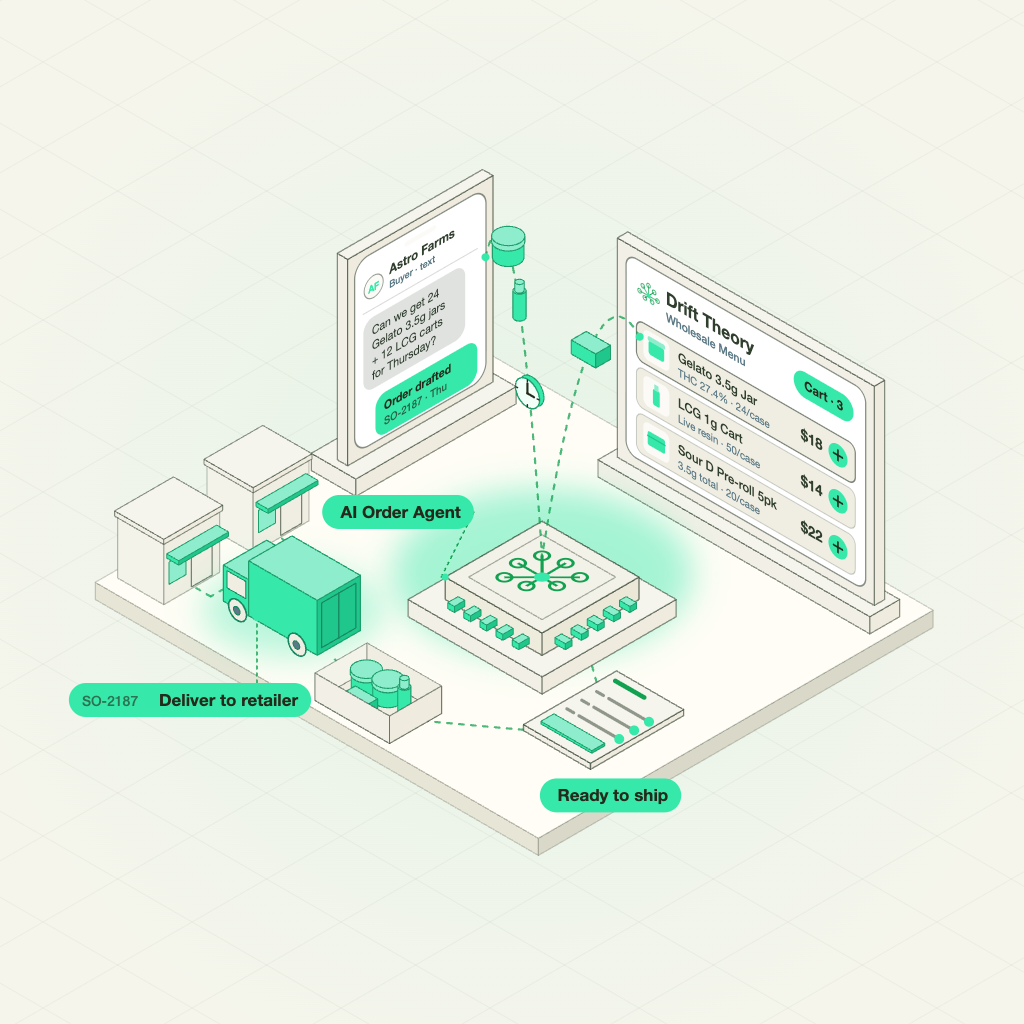
DistruCommerce
Branded menus, marketplace listings, and pricing set per retailer. The AI Order Agent turns texts, photos, and napkin scribbles into real orders.
DistruMCP
Ask Claude or ChatGPT about the inventory, orders, and customers already in your Distru account.
Frequently Asked Questions
Let’s answer the most commonly asked questions about Cannabis Software.
What is a cannabis AI skill?
A cannabis AI skill is a set of instructions that teaches Claude one cannabis task. One skill reconciles Metrc packages against your inventory. Another prices a batch at its real cost of goods. Claude follows the same steps every time you run it.
Which cannabis tasks do these AI skills cover?
Skills are grouped into four areas: compliance, finance and purchasing, cultivation and production, sales and operations. Compliance skills include a transfer manifest precheck and inspection readiness. Finance skills include batch COGS and past-due invoice emails. Cultivation skills include harvest yield analysis. Use the filter at the top to see every skill in each area.
Do I need Distru to use these cannabis AI skills?
Most skills run on files you already have, like a Metrc report or spreadsheet. A few read live sales and inventory through the Distru MCP, like Production Forecast. Each skill page shows what it needs and what changes when you run it on Distru data.
How do I add a cannabis AI skill to my AI asistant
Each skill page gives you two ways to install it. Copy the install prompt into Claude/Chatgpt or any AI asistant, or download the skill from the GitHub repo. Upload a repo download in your AI assistant settings under Skills. Then turn it on and start a new chat. Ask for the job in plain words, like “check this manifest before we ship.” Some skills also need code execution turned on to run Python on your Metrc exports.
What do the AI guides on this page cover?
They cover what cannabis brands and distributors ask before putting AI to work. Some explain the basics, like agents versus chatbots and what an agent harness is. Others go deeper on scoped ERP access, 280E costs and wholesale demand forecasting. Each guide is written in plain English for ops and finance teams. New guides are added as the tools change.
Where should my team start if it’s new to AI?
Start with AI agent vs. chatbot vs. automation. It sorts the vendor pitches you’re already hearing into three plain categories. Next, read the agent harness primer. It explains why one AI model performs differently across tools. Before you connect anything, read what happens when AI gets access to your ERP. After that, pick a skill from the library and run it on your own files.

