AI Skill
Finance & Purchasing
Past-Due Invoice Emails
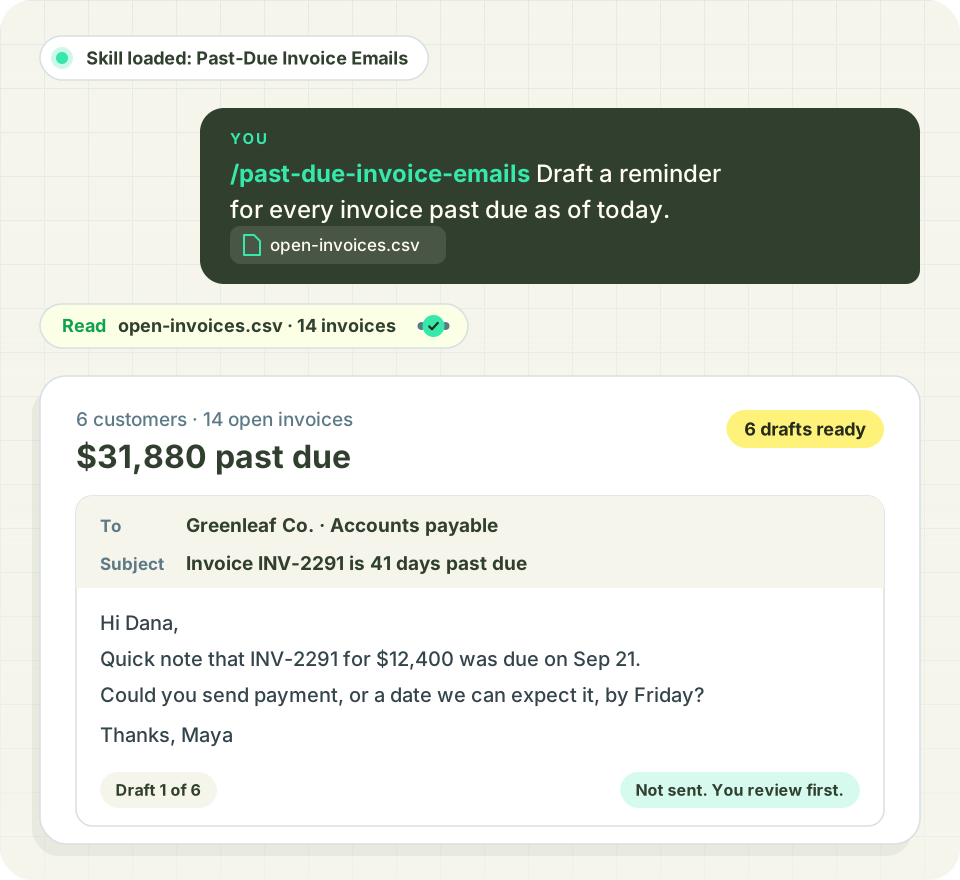
Draft one payment reminder per customer for every past-due invoice.



This is a starting template. Change the questions, thresholds and output to fit how you work. AI can make mistakes, so check the output before you act on it. Report an issue
The problem it solves
Collections follow-up slips because writing a reminder for every late account takes an afternoon.
The skill finds every customer with an open balance on an invoice due on or before today and drafts one email per customer, listing each past-due invoice and the total owed.
With the Distru MCP connector it pulls the Invoice History report and customer contacts directly. Without it, upload an AR aging CSV. Everything is saved as a draft for you to review. Nothing is sent.
What you'll need
Have these ready before you start.
- The Distru MCP connector, or a CSV with invoice number, due date, contact email and balance
- Optional: customer name, invoice date and invoice PDFs
- Optional: a connected Gmail or Outlook account for drafts. Otherwise drafts arrive as .eml files.
What the AI does
- Counts only invoices on delivered or completed orders and skips voided ones
- Pulls recipients from each customer's invoice email field
- Shows contacts and asks who to email when that field is empty, instead of guessing
- Flags unapplied credit on the account
- Shows a review table and waits for your approval before drafting
What you get
A review table of past-due customers with invoice count, oldest due date, total owed and recipients. After approval, one draft per customer with a table of invoice number, invoice date, due date, days past due and balance, plus the total, with invoice PDFs attached if you choose.
Built for Distru. Over the Distru MCP, the skill reads the same Past Due Balance your team sees in the app, so the email matches the account.
Frequently Asked Questions
Let’s answer the most commonly asked questions about Cannabis Software.
Does the Past-Due Invoice Emails skill send emails to my customers?
No, it never sends anything. You see a review table of every past-due customer first, and nothing happens until you approve it. Then it saves one draft per customer in Gmail or Outlook. No email account connected? Drafts arrive as .eml files you open in your mail app.
Can I use it without Distru?
Yes. Upload a CSV or AR aging export with invoice number, due date, contact email and balance. Customer name and invoice date are optional. With the Distru MCP connector, it pulls the Invoice History report and customer contacts directly.
Which invoices count as past due?
Any invoice with an open balance due on or before today. An invoice due today shows as 0 days late, and one due next week is skipped. On the Distru path it counts invoices on delivered or completed orders and leaves out voided ones, so it matches the Past Due Balance in the app.
What if a customer has no invoice email on file?
It doesn't guess. With Distru connected, it shows that customer's contacts and asks who to email. From a CSV, the customer lands on a separate needs-recipient list, so nobody gets a reminder meant for someone else.

