

Metrc (Rhode Island) Bulletin RI_IB_0051 (distributed 02/25/2026; effective 04/01/2026) introduces a new Package Pre-Treatment workflow that lets licensees record and distinguish product pre-treatment activities before lab testing. This article explains what’s changing in Metrc, which packages/items are eligible, where the data appears (history, grids, and API), and what the update means for day-to-day compliance operations.
What the Metrc Package Pre-Treatment workflow adds
The Package Pre-Treatment workflow creates a structured, auditable way to document when cannabis product in a package is pre-treated prior to laboratory testing. Instead of keeping pre-treatment details in internal notes or external logs, licensees can record this activity directly at the package level so the information is consistently visible for compliance and downstream decision-making.
Metrc records pre-treatment data so it persists across the package lifecycle, including package history, package grids, and API endpoints used by integrated software.
Where to find the new “Pre-Treat” action in Metrc
For eligible packages, Metrc adds a new Pre-Treat action on the Active Packages area. When selected, the action window prompts the user to capture the key details required to document the activity.
Information recorded during Pre-Treat
When a package is pre-treated, Metrc allows users to record:
- Package selection (which package(s) are being pre-treated)
- Method (how the pre-treatment was performed)
- Reason (why the package is being pre-treated)
- Pre-Treatment Date (when it occurred)
- Required Pre-Treatment Steps (the step(s) performed as part of the pre-treatment process)
Operationally, this means your team should align internal SOP language (method/reason/steps terminology) with what staff will select or enter in Metrc, so entries are consistent across shifts and facilities.
Eligibility rules Rhode Island operators must follow
The new workflow is not automatically available to every facility, item, or package. Metrc applies the following eligibility rules described in the bulletin.
Facility and item category requirements
- The Pre-Treat button only appears for facilities where Pre-Treatment is enabled by the regulating agency.
- Pre-Treatment is only available for Items using an Item Category where PreTreatment is enabled by the regulating agency.
Package lab test status requirement
- Only packages with a lab test status of NotSubmitted may be pre-treated.
In practice, this means teams must complete pre-treatment documentation before submitting the package for testing in Metrc. If your workflow currently creates test submissions immediately after packaging, you may need to adjust timing so pre-treatment (when applicable) is recorded first.
How pre-treatment shows up in Metrc (history, grids, and icons)
Metrc is designed to make pre-treated product easy to identify during reviews, audits, transfers, and internal quality checks.
Package History audit trail
Pre-Treatment details including Method, Reason, and Steps are recorded in Package History. This creates an auditable timeline that helps explain handling conditions prior to lab testing.
Packages grid indicator column
A new packages grid column, Contains Pre-Treated, displays a Yes/No value. This helps compliance staff and inventory teams filter and identify impacted packages without opening each package record.
Persistent pre-treatment icon
Metrc also adds a pre-treatment icon next to pre-treated packages throughout the system. The icon persists across the package lifecycle and includes hover text indicating the package contains pre-treated product.
Practical implications for day-to-day cannabis operations
This update is primarily about transparency and traceability for pre-testing handling. For Rhode Island operators, the most important operational impacts typically include:
- SOP alignment: Ensure production, QA, and compliance teams agree on when pre-treatment applies and which method/reason/steps should be used so entries are consistent.
- Timing controls: Because only NotSubmitted packages can be pre-treated, coordinate packaging, pre-treatment activities, and lab submission timing to prevent lockouts or incomplete documentation.
- Audit readiness: Expect that regulators, internal auditors, and partners may review Package History to confirm pre-treatment documentation matches your actual practices.
- Downstream visibility: The new grid column and icon make it easier for staff to spot pre-treated packages during picking, transfers, test prep, and compliance reviews.
- System integrations: Since pre-treatment persists in API endpoints, operators using integrated tools should confirm their vendor is ingesting and displaying these new data points as part of inventory and compliance reporting.
Labeling and system tools to support compliance
DistruLabels (free) for compliant cannabis labels
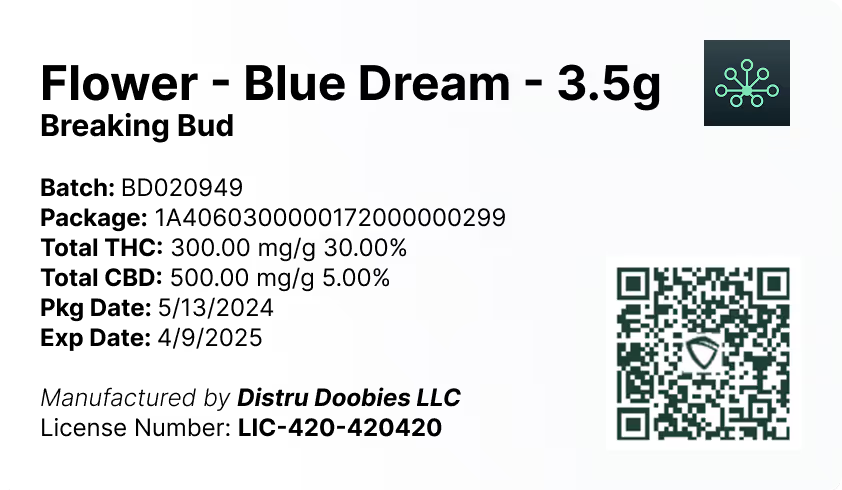
DistruLabels is a 100% free tool for creating compliant packaging and retail labels, including support that helps operators stay aligned with Metrc Retail ID requirements. For teams managing frequent packaging changes, a reliable label workflow reduces the risk of mismatches between what’s in Metrc and what’s on the physical package.
DistruERP for full supply chain management
For larger operators that need end-to-end operational control beyond labeling, DistruERP is Distru’s comprehensive Cannabis ERP platform designed for complete supply chain management across cultivation, manufacturing, distribution, and inventory operations.
Metrc support and training resources
If you need help with the new workflow or can’t see the Pre-Treat action due to eligibility settings, Metrc lists the following resources:
- Metrc Support: Submit and track a case in the Support portal or call 877-566-6506 (Mon–Fri 8 a.m. ET–10 p.m. ET; Sat 10 a.m.–8 p.m. ET; Sun voicemail/portal).
- Metrc Learn: On-demand training available directly and via the Support drop-down in Metrc.
- Metrc Expert: In-app knowledge base accessible from the widget icon in the lower right corner of Metrc.
- Metrc.com: Visit https://www.metrc.com/ and navigate to your state partner page for training links and updates.
For compliance teams, the key takeaway is to confirm your facility and item categories are enabled for pre-treatment (as applicable), then update internal procedures so pre-treatment is documented in Metrc before any lab submission occurs.


