

Metrc (New York) Bulletin NY_IB_0012 explains how distributors and microbusinesses performing distribution must use the Finished Goods designation and Retail Item ID QR codes in Metrc for products transferred to dispensaries starting March 31, 2026 (ongoing). This article breaks down what qualifies as a Finished Good package, how Retail Item IDs work, and the day-to-day operational impacts for packaging, transfers, repack workflows, and COA visibility.
What changes on March 31, 2026 (New York)
Beginning March 31, 2026, New York requires that all cannabis products transferred from a licensed distributor (including microbusinesses conducting distribution activities) to dispensaries meet two conditions in Metrc and in the physical world:
- Each Package UID being transferred must be designated as a Finished Good in Metrc.
- Each individual unit inside that Finished Good package must have a Retail Item ID (QR code) physically attached.
Practically, this means your packaging and labeling steps must be aligned with Metrc package structure before outbound distribution transfers are manifested and received at retail.
Finished Goods in Metrc: definition and examples
In Metrc, a Finished Good package represents product in its final, consumer-ready form: it is count-based, individually packaged, and intended to be sold as discrete units to end consumers.
Examples of Finished Good packages
- Individually packaged flower units from the same strain, such as 1,000 units packaged at 3.5g each
- Individually packaged edibles from the same batch, such as 5,000 gummies
- Individually packaged vape cartridges from the same batch, such as 10,000 cartridges
Examples that are not Finished Good packages
- Bulk plant material (including flower, shake, and trim) created directly from harvest
- Weight- or volume-based products such as concentrates, extracts, or oil intended for further manufacturing
- Large ingredient quantities, such as 50,000g of oil intended to create tinctures
Operationally, the dividing line is whether the package represents final consumer units (each) versus bulk or intermediate material that will be processed, portioned, or reformulated later.
Retail Item IDs (QR codes) in New York: what they are and why they matter
In New York, a Retail Item ID is a unique digital identifier presented as a QR code that is assigned to each unit within a Finished Good package. The bulletin describes several compliance and safety outcomes tied to this unit-level identifier:
- Faster retail intake and identification when dispensaries receive inventory
- Unit-level recall reach, extending recall capability beyond the package level
- Improved consumer safety and product visibility during purchasing through proof-of-purchase linkage
Retail Item IDs are ordered in Metrc and deducted from your facility’s allotment when used for Finished Goods workflows.
Day-to-day implications for distributors and packagers
This bulletin primarily affects the handoff between distribution and retail. Teams should expect changes in three daily areas:
- Packaging workflow design: Finished Goods must be created as count-based units that match what is physically packaged.
- Label production and application: every unit needs a Retail Item ID QR code physically attached, which increases label print volume and makes reprint control important.
- Transfer readiness: packages should not be placed into transfer workflows until the Finished Good designation and unit-level QR labeling are correct, reducing the risk of retail receiving delays and support tickets.
Because Metrc treats the Finished Good flag and Retail Item IDs as connected but not identical functions, operations also need clear ownership over when a package becomes “final” and who is authorized to adjust counts after creation.
Metrc best practices: when to use Finished Goods and Retail Item IDs
The bulletin draws a clear boundary around when you should not designate Finished Goods or generate Retail Item IDs versus when you should.
Do not designate Finished Goods or generate Retail Item IDs if
- The package was created directly from a harvest (bulk)
- The package is not count-based
- The package is in transit
- The package is empty and finished (in the Inactive Packages tab)
- The package is discontinued
- The package has child packages already created from it
- The package was created as a lab sample
Do designate Finished Goods and generate Retail Item IDs when
- The package is in its final form (each / consumer units)
- The package is count-based
- The package is not in transit
- The package is active (not empty/finished)
- The package is not discontinued
- No child packages have been created from it
These rules matter because retail receiving depends on unit-level QR codes being present on the physical goods and correctly represented in Metrc.
How to designate a package as Finished Goods in Metrc
The bulletin provides two supported approaches, depending on whether you are creating a new Finished Good package from bulk or updating an existing active package.
Option 1: Convert bulk material into a new Finished Good package
When converting a bulk package into consumer units, create a new package under Active Packages using the item name for the finished good, and select the Finished Good checkbox before saving. This approach keeps the Finished Good designation aligned with the moment the product becomes a final, count-based unit.
Option 2: Designate an existing active package as Finished Goods
If you already have an active package that should be treated as Finished Goods, use the Finished Goods action from the Active Packages area. If units already have Retail Item IDs physically applied but the package is missing the Finished Good flag, the bulletin instructs operators to contact Metrc Support so Metrc can help ensure physical labeling matches Metrc’s digital record.
How to confirm Finished Good status
In the Packages grid, check the F.G. column for Yes or No.
Applying Retail Item IDs to Finished Goods (and understanding allotments)
Retail Item IDs must be ordered in Metrc. Once ordered, they are added to your allotment. When a package is designated as a Finished Good, Metrc can automatically generate Retail Item IDs (if they were not created earlier through Package Staging) and deduct them from your allotment.
Allotment is tied to unit quantity, not reprints
The bulletin emphasizes that the Retail Item ID allotment impact is based on the number of units in the Finished Good package, not the number of additional IDs you generate because of printing or labeling errors.
A 100-unit Finished Good package deducts 100 from your allotment even if you generate extra Retail Item IDs to resolve physical printing or labeling issues.
Adjustments change allotments (within limits)
If the original Finished Good package quantity must be adjusted up or down after creation, the location that created the package can adjust it, and Metrc will reflect the change in Retail Item ID allotments. After repackaging, the bulletin notes that only downward adjustments below the originally reported quantity can be made to repackaged Finished Good inventory.
Important trigger rule: Finished Goods drives Retail IDs, not vice versa
The bulletin states a one-directional rule that affects compliance troubleshooting: designating a package as Finished Goods generates Retail Item ID QR codes, but generating Retail Item ID QR codes does not, by itself, designate a package as Finished Goods.
How to order Retail Item IDs in Metrc (New York)
- Open Retail Item ID from the Metrc Admin menu.
- Select New Retail Item ID Order.
- Enter the count needed and complete required fields.
The bulletin clarifies that Retail Item IDs are digital only and require no shipping.
How to confirm Retail Item IDs exist for a package
Look for the Retail Item ID QR code icon in the Packages grid for that Finished Good package.
Repackaging Finished Goods: why “Same Item” is the key decision
When splitting or repacking Finished Goods into new packages of the same product, Metrc asks whether the new package is the Same Item. The bulletin identifies this as the most important step for maintaining Finished Good designation and Retail Item ID lineage from the original source package label.
Select “Same Item” when the product has not changed
Use Same Item when the product remains the same form, category, and composition. Metrc will carry the Finished Good designation and Retail Item ID lineage through to the new packages.
Do not select “Same Item” when the product changes or sources are combined
If you combine packages from different sources or change the product in any way, the Finished Good lineage is intentionally reset. In these cases, you must manually designate the new packages as Finished Goods (as described above), and ensure unit-level Retail Item ID labeling is completed for the new Finished Goods.
If child packages are missing Finished Good designation
The bulletin notes the most common cause is failing to select Same Item during repack. If physical units already have Retail Item IDs applied, operators should contact Metrc Support with the Package UID missing the Finished Good designation and an example Retail Item ID from a physical unit so Metrc can facilitate a correction.
Missing COAs on Retail Item IDs: what to check
New York testing facilities are required to upload the COA document along with test results directly into Metrc. If COAs appear to be missing at the Retail Item ID level, the bulletin’s guidance is:
- Verify the testing facility uploaded the COA PDF into Metrc.
- If the COA PDF is uploaded but still missing from the Retail Item ID, submit a case to Metrc Support.
- Confirm your user permissions allow package view access to COA documentation.
If COA documentation is missing from the tested source package, contact the testing facility that performed the analysis and request that they upload the COA PDF into Metrc for that sample.
Label execution: using DistruLabels for Metrc Retail ID compliance
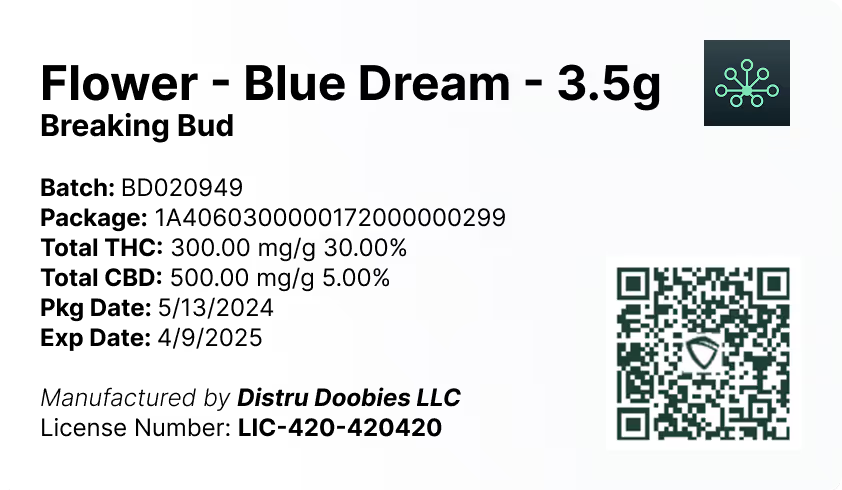
Because New York requires a Retail Item ID QR code physically attached to each unit, label production becomes a core compliance step, not an afterthought. DistruLabels is a 100% free tool that helps cannabis operators generate compliant packaging and retail labels, supporting day-to-day workflows where Metrc Retail Item IDs must be printed accurately and applied consistently to each consumer unit.
Using a dedicated label tool reduces common operational failures such as mismatched unit counts, misapplied QR codes, and last-minute reprints that can slow down distribution transfers and retail receiving.
For larger operations: DistruERP for end-to-end cannabis supply chain control
For larger, multi-department operators who need more than labeling, DistruERP is Distru’s comprehensive Cannabis ERP platform designed to support complete supply chain management, including inventory, manufacturing workflows, distribution operations, and compliance processes that must stay aligned with Metrc requirements.
Metrc support and training resources referenced in the bulletin
If you need help resolving Finished Goods flags, Retail Item ID lineage issues, or COA visibility, the bulletin references these Metrc resources:
- Metrc Support: support portal or phone at 877-566-6506 (hours vary by day)
- Metrc Learn: on-demand training available from within Metrc
- Metrc Expert: in-app knowledge base accessed via the widget icon
- Metrc state resources: see https://www.metrc.com/ for state partner pages and training links
For New York operators, the most common escalation points in this bulletin are: (1) packages that have physical Retail Item ID labels but lack the Finished Good flag, and (2) repackaged child packages missing Finished Good designation due to “Same Item” selection errors.


