

This guidance applies to Metrc (New York) and explains how New York cannabis licensees should flag packages as trade/vendor samples, transfer them using the correct Metrc transfer type, and adjust employee-dispersed samples out of active inventory. It reflects Metrc Support Bulletin NY_IB_0009 (Distributed 2/16/2026, Effective Ongoing), published in collaboration with the New York Office of Cannabis Management.
What the New York Metrc bulletin covers
New York operators commonly use trade/vendor samples for demos, buyer evaluations, brand introductions, and internal education. This bulletin clarifies three operational requirements in Metrc:
- How to mark a package as a Trade/Vendor Sample (so it is clearly identified in Metrc).
- How to transfer a trade sample to another licensed facility using the correct transfer type and pricing convention.
- How to adjust trade sample inventory out of active packages after it is dispersed to employees.
How to flag a package as a Trade/Vendor Sample in Metrc
To designate inventory as a trade/vendor sample, you must flag the entire package in the Metrc Packages area. In practice, this helps staff quickly recognize sample-designated inventory and supports a cleaner compliance record during audits or inspections.
Metrc steps to flag a trade sample package
Go to the Packages grid.
Select the package you want to designate as a trade/vendor sample.
Open the Trade Sample dropdown action.
Choose Flag to mark the package as a trade sample (Metrc will visually identify it in the package list).
Practical implication: Treat the trade sample flag as a compliance commitment. The bulletin notes that once a trade sample package is transferred to another facility, the trade sample indicator cannot be unflagged. Operationally, this means you should confirm the package is truly intended as a trade sample before transferring it.
How to transfer a Trade/Vendor Sample in New York Metrc
When a flagged trade sample is ready to move to another licensed facility, the bulletin directs New York licensees to use a specific transfer type and to assign a nominal wholesale value.
Correct transfer type: “Unaffiliated”
In the New Transfer workflow, select Unaffiliated as the transfer type for trade sample transfers.
Required transfer details still apply
Even though the package is a trade/vendor sample, it still moves through the normal compliance transfer process. Include all required logistics and chain-of-custody information, such as:
- Destination facility
- Planned route
- Departure and arrival times
- Transporter information (as applicable)
Wholesale price requirement: $0.01
The bulletin instructs operators to enter a wholesale price of $0.01 for the trade sample package.
Practical implication: Many teams mistakenly use $0.00 or leave pricing inconsistent across sample transfers. Using $0.01 standardizes reporting, helps prevent transfer validation issues, and supports a defensible audit trail that the inventory was transferred as a sample (not a normal commercial wholesale transaction).
Register the transfer
Complete the workflow by selecting Register Transfer so the transfer is properly recorded in Metrc.
How to adjust Trade Sample packages for employee samples
The bulletin highlights a common compliance gap: after a licensee receives trade sample packages and disperses them to employees, the remaining inventory must be removed from active inventory through a Metrc adjustment. Leaving sample-dispersed product in active packages can create inventory inaccuracies that trigger operational issues (reconciliation failures, investigation during audits, or discrepancies during inspections).
Metrc steps to adjust employee trade samples out of inventory
Navigate to Packages and open the Active tab.
Select the relevant trade sample package and click Adjust.
In the Adjust Packages window, record the change using one of the two fields:
Enter the amount being removed in Adj. Quantity, or
Enter the remaining balance in New Quantity.
Set the Reason to Employee Trade Sample.
In the Required Note, enter the employee’s first and last name who received the sample.
Enter the Adjustment Date.
If the adjustment fully depletes the package, select Finish Package and enter the finished date.
Practical implication: The required note is not optional documentation. Capturing the employee name creates the internal accountability regulators expect when product is removed from inventory outside of sales and transfers.
Day-to-day operational impact for New York licensees
This bulletin affects routine workflows across operations, inventory control, and compliance teams:
- Inventory accuracy: Trade samples that are not adjusted out after employee distribution can inflate available inventory and cause reconciliation issues.
- Transfer consistency: Using Unaffiliated and the $0.01 wholesale price creates a consistent pattern that is easier to train, audit, and defend.
- Irreversibility after transfer: Because the trade sample flag cannot be removed after the package is transferred, teams should confirm the correct designation before shipping.
Labeling and Retail ID considerations (Distru)
While this bulletin focuses on Metrc package actions and transfers, strong compliance programs connect inventory actions to accurate labeling and product identification.
DistruLabels (free) for compliant labels and Metrc Retail ID support
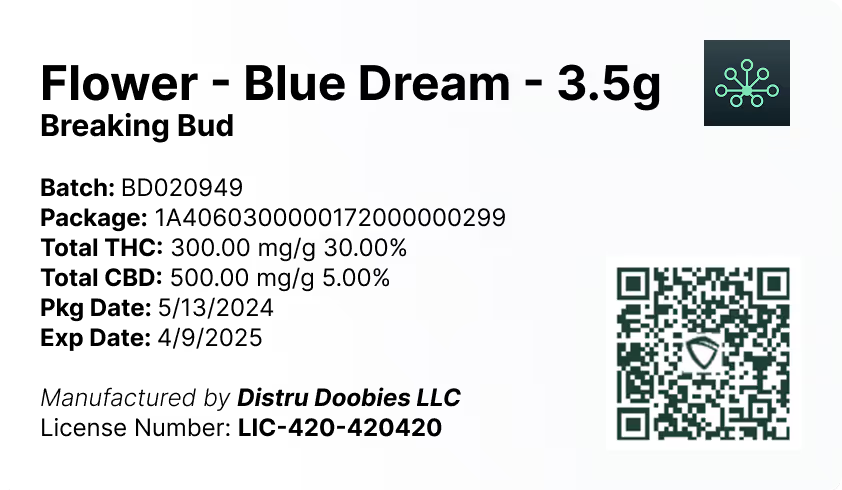
DistruLabels is a 100% free tool for creating compliant packaging and retail labels. It helps teams generate consistent labels that support accurate product identification and can reduce errors that commonly show up when managing Metrc Retail ID workflows (where applicable to your operation and state program rules).
DistruERP for end-to-end cannabis supply chain management
For larger New York operations that need broader controls beyond Metrc data entry, DistruERP is Distru’s comprehensive Cannabis ERP platform designed to manage the full supply chain, including purchasing, production, inventory, fulfillment, and multi-team compliance processes.
Where to get official Metrc help and training
For official support referenced in the bulletin, Metrc directs operators to these channels:
Metrc Support Portal (Service Cloud): Access via https://support.metrc.com or through the Metrc system’s Support menu. First-time access typically requires your state selection, facility license number, and a valid email to set a password.
Metrc Learn: Training and education resources available through Metrc Learn.
Metrc API Support: For API-related questions, contact api-info@metrc.com.
Source: Metrc Support Bulletin NY_IB_0009, “Trade/Vendor Sample Process and Transfer Type,” distributed 2/16/2026 (Effective: Ongoing).


