

This bulletin applies to Metrc (All Metrc States) environments where transporter details are used on transfers and deliveries. Metrc Support Bulletin MT_IB_0075 (effective 02/12/2026) introduces a new optional Vehicle Registration Number field on vehicle records, and explains where that value will appear across transfers, manifests, and sales deliveries for transporter compliance.
Bulletin summary: new vehicle registration number field
Metrc has enhanced vehicle management by allowing transporters (and licensees managing transporter vehicles) to enter a Registration Number directly on a vehicle record. This field is designed to support different state requirements by accommodating multiple vehicle identifiers, including a vehicle registration number, certification number, or VIN (depending on what your regulator expects).
Metrc’s goal with this update is to improve traceability and regulatory transparency by keeping key vehicle identifiers inside the system—alongside existing vehicle details such as make and model—rather than forcing licensees to rely on external logs or manual workarounds.
What changed in Metrc vehicle management
Where you enter the registration number
The Registration Number can be entered when adding a new vehicle or updating an existing vehicle in Metrc’s transporter/vehicle management area. The field is available immediately as of the effective date.
Permissions required
To add or edit a vehicle’s Registration Number, a user must have permission to manage Transporters within Metrc. If your team cannot see the field, this is typically a role/permission configuration issue rather than a system outage.
Field rules (data constraints) that affect compliance
Metrc enforces specific rules for the new field to help keep vehicle identity clean and auditable:
- Optional field: Metrc allows the field to be blank unless your state configuration or workflow makes it required.
- Length and format: Up to 100 alphanumeric characters, supporting common state formats for registration/certification/VIN-style identifiers.
- Uniqueness for active vehicles: A Registration Number can only be associated with one active vehicle at a time. This reduces the chance of two vehicles being represented by the same identifier during audits or investigations.
How the registration number appears in Transfers
For Licensed and External transfers that use a transfer type configured to capture Transporter Information, the transporter’s vehicle details will now include the Registration Number in the action window alongside the rest of the vehicle information.
Important compliance implication: depending on your state’s rules and how your Metrc instance is configured, the Registration Number may be required for certain transfer types. In practice, that means a transfer could be delayed at the point of manifest creation or review if the vehicle record is missing the identifier your regulator expects.
Transfers Hub visibility
Metrc also displays the vehicle registration information in the Transfers Hub views where transporter/vehicle details are shown. This improves day-to-day coordination between shipping, compliance, and dispatch teams because the same vehicle identifier used for regulatory review is visible within the operational transfer workflow.
Transfer manifest output
The transfer manifest will display the vehicle’s Registration Number alongside other vehicle information. Operationally, this helps align what is in Metrc with what drivers, receiving facilities, and regulators may check during roadside inspections or delivery verification.
How the registration number appears in Sales Deliveries
Sales Deliveries will also display the Vehicle Registration Number where transporter vehicle information is presented. Metrc updated the Sales Delivery workflow and the Sales Delivery Hub so that the registration information is visible within delivery records and transporter detail views.
For day-to-day operations, this reduces last-minute delivery interruptions by ensuring the vehicle identifier tied to a delivery is documented inside Metrc and consistently surfaced to staff preparing and reviewing delivery records.
Why this bulletin matters for day-to-day cannabis operations
This change is small, but it affects several high-risk compliance moments—especially transportation and delivery—where documentation gaps can create enforcement exposure.
- Improved audit readiness: Vehicle identifiers are stored directly on the vehicle record, making it easier to demonstrate consistent transporter controls.
- Less reliance on external logs: Teams no longer need separate spreadsheets or notes to track state-required vehicle identifiers.
- Cleaner internal handoffs: Dispatch, shipping, and compliance can reference the same vehicle identifier across transfers, hubs, and manifests.
- Better regulator transparency: When vehicle information is complete and consistent in Metrc, it supports faster review and fewer clarification requests.
Related compliance tooling: labels and ERP alignment
DistruLabels for compliant labels (free)
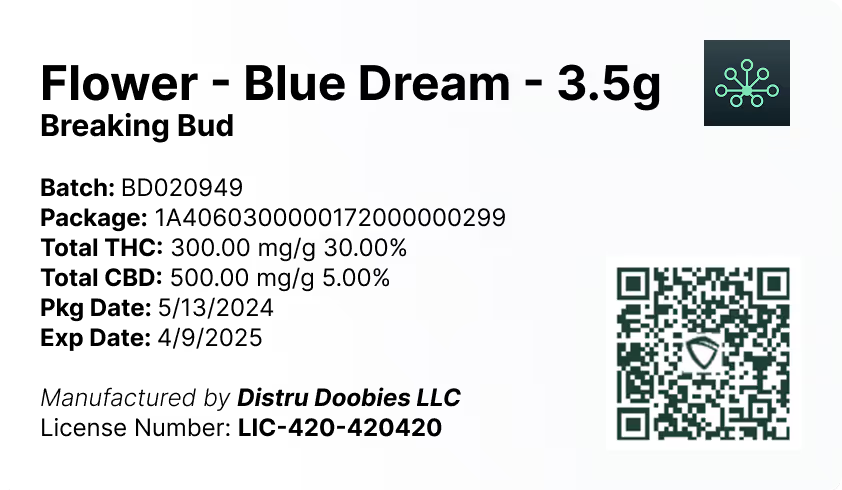
While this bulletin is about transportation records, it fits into the broader theme of reducing compliance risk by keeping regulated identifiers consistent across systems. DistruLabels is a 100% free tool for creating compliant packaging and retail labels, and it helps operators stay aligned with Metrc Retail ID labeling requirements by making it easier to format and print compliant labels from accurate source data. Learn more at https://www.distru.com.
DistruERP for full supply chain management
For larger operators that need end-to-end controls beyond labeling—such as purchasing, production, inventory, order management, compliance workflows, and multi-facility visibility—DistruERP is Distru’s comprehensive Cannabis ERP platform designed to manage the complete supply chain while supporting compliance-driven operations.
Metrc support resources referenced in the bulletin
If you need help confirming permissions, updating vehicle records, or validating how your state configuration handles transporter fields, Metrc provides support through its Support portal and phone support (877-566-6506). You can also use Metrc Learn for training and Metrc Expert inside the application for guided knowledge-base workflows. For general information, visit https://www.metrc.com.


