

This bulletin applies to Metrc (Guam) and explains how licensed cannabis operators should tag and report beginning inventory so Metrc electronic inventory matches what is physically on hand. It focuses on ordering and receiving RFID tags, completing required Admin setup (strains, items, locations), and using External Incoming Transfers to bring seeds and immature plants into Metrc before cultivators create immature plant batches.
What “beginning inventory” means in Metrc (Guam)
Beginning inventory is the product you already possess when you start using Metrc and must enter into the system so your digital records reconcile to your physical counts. The bulletin emphasizes that the External Transfer workflow described here is specifically for onboarding beginning inventory and is not the same workflow you’ll use for ongoing day-to-day transfers once you’re fully operating in Metrc.
Metrc tracks cannabis inventory in two primary forms:
- Plants: Plants must enter Metrc through immature plant batches.
- Packages: Packages are created from immature plants, harvest batches, or other packages (and are also used to represent seeds, clones, and other cannabis goods).
Ordering Metrc RFID tags in Guam
After your facility is credentialed in Metrc, the first operational dependency is having enough RFID tags on hand to tag and report beginning inventory.
Which license types can order which tags
- Cultivation licenses: Can order plant tags and package tags.
- All other facility types: Can order package tags only.
Shipping timeline and operational impact
Tags are printed and shipped via USPS, typically taking 7–21 days. Practically, this means you should plan tag ordering early so inventory onboarding does not stall waiting for tag delivery.
How to place a tag order in Metrc
In Metrc, navigate to Admin > Tag Orders, then create a New Tag Order and submit it once details are verified.
The bulletin also notes two important operational options:
- Expedited shipping: After placing an order, contact Metrc Support with your order number and payment method if you need faster shipping.
- Plant tag straps: You may request straps with your order, but adding straps may significantly increase shipping cost.
Receiving tags: do not “receive” tags before they arrive
Once tags physically arrive, return to Admin > Tag Orders and select Receive for the correct facility license. The bulletin is explicit: do not receive tags in Metrc before they are physically in your possession, because receiving the order acknowledges the tags are on-site and available for use.
Each tag order is associated to your facility and includes unique tag identifiers that will be assigned to plants or packages during inventory entry.
Metrc tag rules: one-time use and how to correct mistakes
The bulletin highlights a critical compliance and workflow point: Metrc tags are one-time use only. This affects day-to-day operations because corrections are handled differently depending on whether the tag was used on a plant or a package.
If you assigned the wrong tag to a plant
If an error occurs when assigning a plant tag (commonly when moving plants into vegetative phase), you must use Metrc’s Replace Tag function. Operationally, this means you should expect a controlled relabeling step rather than reusing the same RFID.
If you assigned the wrong tag to a package
If an error occurs when assigning a package tag, the package must be discontinued. When discontinued, the quantity/weight returns to the source package it came from, and you then create a new package with a new tag. In practice, this can impact inventory availability and reconciliation timing—so catching package-tagging mistakes early reduces downstream rework.
Admin setup required before entering beginning inventory
Before (or while) waiting for tags to arrive, the bulletin directs licensees to configure foundational data under the Admin menu. This setup is essential because transfers, packages, and plantings require these references.
Set up strains (required for beginning live plant inventory)
For beginning live plant inventory brought in through External Transfers, each strain must exist in your Metrc account. If potency or Indica/Sativa genetic ratios are unknown at the time of setup, the bulletin indicates you may estimate those values and edit later if needed.
When entering THC potency, report it as a percentage of the overall weight.
In Metrc, go to Admin > Strains and add the strain name, testing status, THC/CBD values, and Indica/Sativa designation. Metrc also allows applying the strain to multiple licensed facilities if your account structure supports it.
Set up items (products)
Items define what you are tracking (for example, seeds, clones, flower, concentrates) and determine required fields like category and default unit of measure. Create items in Admin > Items. The bulletin’s example uses an item name like Seeds – Blue Dream to clearly reflect both product type and strain.
Operational implication: item naming and categorization drive consistency in transfers, packaging, and reporting. Also note the bulletin’s constraint: items can only be updated if they have not been used previously, so establishing a naming convention early helps avoid locked-in errors.
Set up locations
Locations support internal organization and are referenced during plantings and inventory movements. Add and maintain them under Admin > Locations. You can always add more locations later as operations expand.
How Guam licensees bring beginning inventory into Metrc
The bulletin’s core instruction is that all beginning inventory must be brought into your license so electronic inventory matches physical inventory. For seeds and immature plants, Metrc (Guam) uses External Incoming Transfers as the onboarding mechanism.
External Incoming Transfers: why it’s a two-step process
External Incoming Transfers are used to bring in seeds or immature plants so they can be planted. The bulletin stresses that this is a two-step workflow: you must (1) create/register the incoming transfer and then (2) complete it by assigning package tags. If you only do step one, you will have a pending transfer but no tagged packages in inventory, which can put you out of alignment with inventory reconciliation expectations.
Step 1: Create (register) an External Incoming Transfer
To begin, go to Transfers > External, open the Incoming tab, and create a New Transfer.
Complete the fields as described in the bulletin:
- Type: Select Beginning Inventory Transfer.
- Phone Number: Use a valid phone number (often the facility’s main line).
- Planned Route: The bulletin suggests language such as “Received and weighed at the Licensed Business Number # …” to document receipt context.
- Item Name, Quantity, Packaged Date: Choose the item(s) you previously created, enter the exact quantities received, and use the packaged date as the day you are entering the items into Metrc.
Select Register Transfer to create a pending incoming transfer. Registering creates the transfer record, but does not yet create tagged packages.
Step 2: Complete the External Incoming Transfer (creates tagged packages)
To finalize the onboarding and generate inventory, you must complete the pending transfer from the External Transfers grid using the Complete action.
Key operational requirements from the bulletin:
- You must have package tags available to complete the transfer.
- Confirm the auto-populated quantities match what was registered and physically received.
- Assign a unique Metrc package tag to each item, and physically affix that tag to the corresponding product.
After confirmation, complete the transfer to create the package(s) in Metrc inventory.
Cultivation in Guam: planting seeds or immature plants into batches
After all beginning inventory has been brought in via completed External Incoming Transfers, cultivators must decide whether seeds will remain stored as packaged inventory or be planted. The bulletin directs that seeds, clones, and immature plants that will become live plants must be planted from their packages into Immature Plant Batches within Metrc.
Creating plantings from a package
In Metrc, navigate to Packages, select the active package containing seeds or immature plants, and use Create Plantings to generate an immature plant batch.
The bulletin notes best practice for batch naming conventions: include the strain name and the planting date, and optionally indicate it’s beginning inventory (for example, “StrainName MM.DD.YY_Beginning Inventory”).
Use the date of entry as the Planting Date, and ensure the relevant Strains and Locations are already configured so they can be selected during planting creation.
Day-to-day implications for Guam operators
Although this bulletin focuses on onboarding, it has immediate operational consequences:
- Tag lead times affect go-live schedules: if tags are not ordered early, beginning inventory entry (and compliance-ready operations) can be delayed.
- Receiving tags is a compliance acknowledgment: receiving tags in Metrc before physical receipt can create audit risk and internal control gaps.
- Two-step transfers prevent “phantom inventory” issues: a registered-but-not-completed external incoming transfer does not produce tagged packages, which can cause mismatches during reconciliation.
- One-time-use tags require controlled correction workflows: replacing plant tags and discontinuing packages should be part of staff training to avoid compounding errors.
- Admin data quality matters: strains, items, and locations become the reference layer for everything that follows—naming conventions and correct categories reduce downstream reporting issues.
Labeling and Retail ID support: DistruLabels and DistruERP
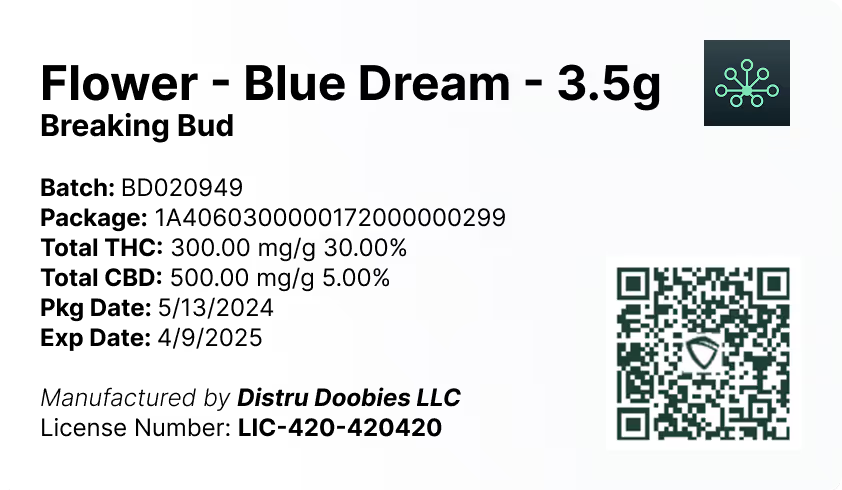
As inventory is brought into Metrc and packages are created, operators typically need accurate package identifiers and compliant labels to support downstream workflows (including retail workflows where applicable). DistruLabels is a 100% free tool for creating compliant packaging and retail labels and can help operations stay aligned with Metrc Retail ID requirements by producing clean, scannable labels tied to the right package and retail identifiers.
For larger Guam operators who need deeper operational control beyond basic compliance entry—such as purchasing, production, multi-stage manufacturing, inventory costing, and full supply chain visibility—DistruERP is Distru’s comprehensive Cannabis ERP platform designed to manage the end-to-end cannabis supply chain while supporting Metrc-integrated processes.
Bottom line for Metrc (Guam) beginning inventory
The bulletin’s message is straightforward: order and receive tags properly, complete foundational Admin setup, and use External Incoming Transfers (register and complete) to convert physical beginning inventory into properly tagged Metrc inventory. For cultivators, the final step is turning packaged seeds or immature plants into immature plant batches using Create Plantings so plant tracking starts correctly from day one.


