

This bulletin applies to Metrc (Alaska) and explains a Transfer Reports update that changes how timestamps are displayed and exported. Metrc updated Alaska Transfer Reports so transfer-related date/time fields now reflect Alaska local time rather than UTC, reducing confusion during reconciliation and compliance review.
Bulletin summary and effective date
Metrc issued an update to improve clarity and consistency when Alaska licensees review transfer activity in Metrc reports.
- Bulletin: AK_IB_0085_Metrc TransferReports Update
- Distribution date: 3/31/2026
- Effective date: 2/12/2026
- Subject: Metrc Transfer Reports Update
- Reason: Recent update to Metrc Transfer Reports
What changed in Alaska Metrc Transfer Reports
Before this update, Transfer Reports displayed timestamps in UTC. For Alaska operators, UTC timestamps often required manual conversion to confirm when transfers were created, accepted, rejected, or otherwise processed.
With this update, Metrc Transfer Reports now display and return timestamps in Alaska local time. This aligns report outputs with how Alaska teams typically document operational events (receiving, shipping, vault moves, manifest timing, and accounting cutoffs).
Transfers reports affected
The following Metrc reports are included in the Alaska local-time change:
- Transfer Report
- Transfers Report (Limited)
- Retail Cultivation Transfers Report
- Wholesale Transfers Report
Practical implications for day-to-day cannabis operations
Even though this is a reporting change (not a workflow change), it can materially affect how Alaska operators reconcile and audit transfer activity.
Fewer reconciliation errors and faster month-end close
Teams that previously converted UTC to Alaska local time (manually or in spreadsheets) should see fewer discrepancies between Metrc reports and internal logs such as shipping schedules, receiving logs, invoices, or POS/ERP timestamps. This is especially helpful when investigating timing-sensitive issues like late receiving, rejected transfers, or chain-of-custody questions.
Update internal SOPs and saved spreadsheets
If your SOPs, templates, or training materials reference UTC-based conversions, update them to reflect that these Alaska Transfer Reports now use local time. Also review any saved spreadsheets or reporting macros that subtract hours from Metrc timestamps, as they may now produce incorrect results.
Review integrations and automated reporting
If you use an integration, data warehouse, or automated compliance reporting process that ingests Transfer Report exports, confirm your time-zone handling. In Alaska, a pipeline that assumed Metrc exports were UTC may now double-convert or misclassify records by date (for example, pushing an event into the wrong business day).
Where Metrc shows timestamp and date details
Metrc includes date and timestamp context in the footer of each report. When validating transfer timing, use the report footer details to confirm the time basis being applied, especially when comparing outputs across systems.
Metrc support and training resources
Metrc Support
For help troubleshooting report outputs or timing discrepancies, contact Metrc Support via the Support portal or call 877-566-6506. Support hours are Monday–Friday, 8 a.m. ET–10 p.m. ET; Saturday 10 a.m.–8 p.m. ET; Sunday voicemail or portal only.
If you are accessing the Support portal for the first time, you will typically need a username (created when logging in), the respective state, your facility license number, and a valid email to set a password.
Metrc Learn
Metrc Learn is Metrc’s on-demand training platform with interactive education on system functionality to improve user proficiency and workflow efficiency. You can access Metrc Learn directly or from the Support drop-down in Metrc.
Metrc Expert
Metrc Expert is available inside Metrc via the widget icon in the lower right-hand corner. It provides step-by-step guides and a knowledge base for common tasks and questions.
Metrc.com
For additional state-specific resources, visit https://www.metrc.com/ and navigate to Alaska’s partner page for training links and related guidance.
Labeling and systems alignment: DistruLabels and DistruERP
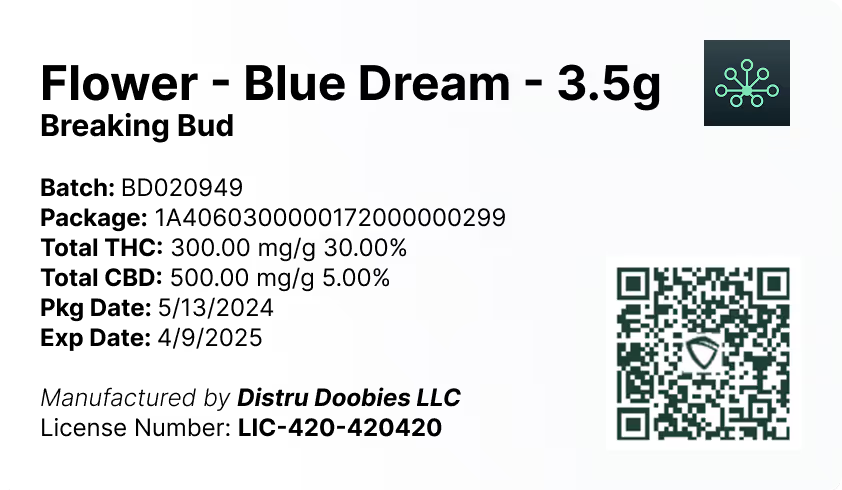
While this bulletin focuses on reporting timestamps, accurate compliance also depends on consistent identifiers and packaging information across your workflows. DistruLabels is a 100% free tool for creating compliant packaging and retail labels, helping operators stay aligned with Metrc Retail ID requirements by producing clear, compliant label outputs that match regulated product identity and packaging needs.
For larger Alaska operations that need broader operational control beyond labeling and reporting, DistruERP is Distru’s comprehensive Cannabis ERP platform designed for end-to-end supply chain management, supporting more structured inventory, sales, and operational workflows that can reduce compliance friction as reporting requirements evolve.


