
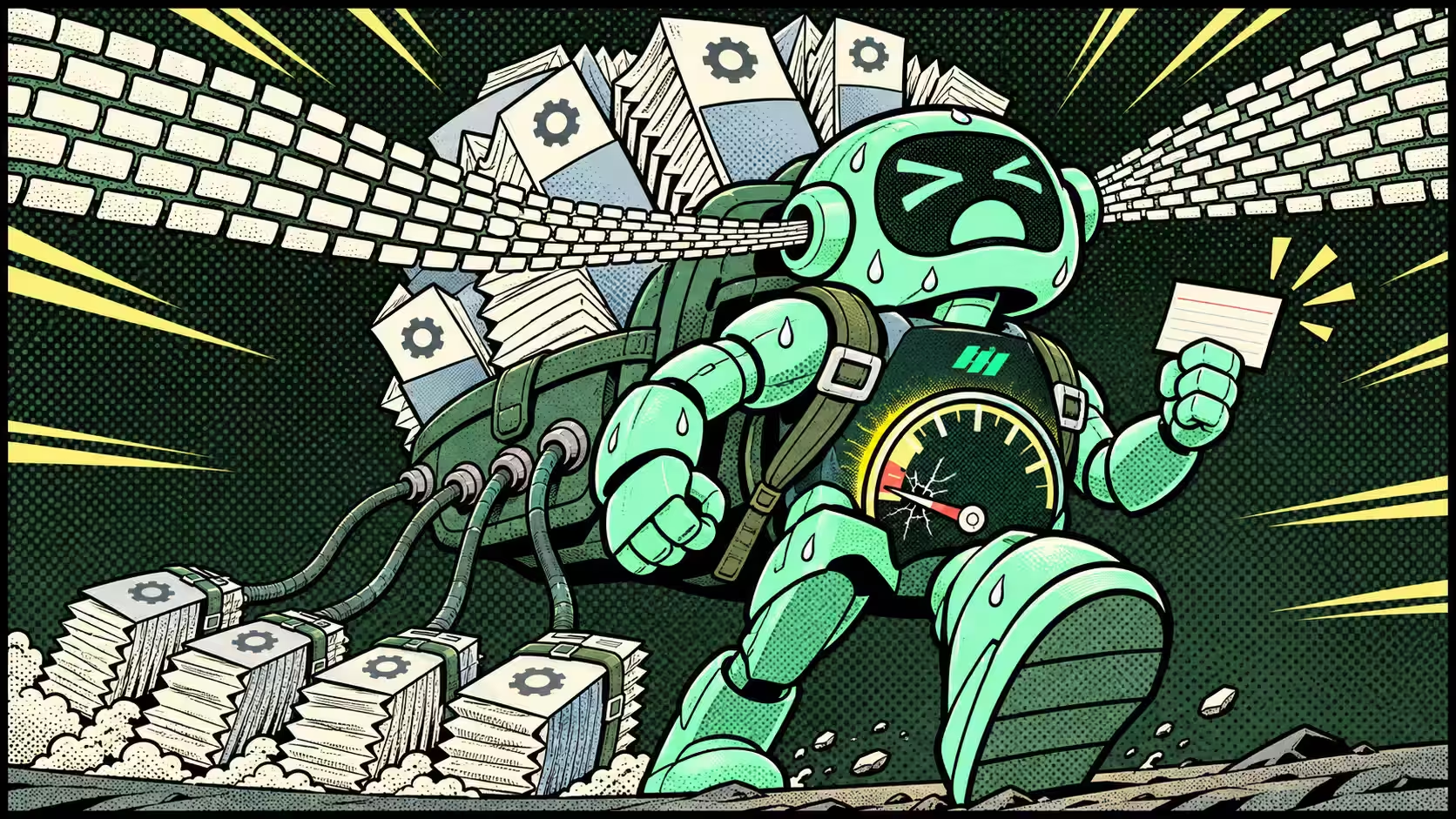
It's Tuesday afternoon, and Claude tells you you've hit your usage limit. All you asked for today was last week's sales by account, a list of open orders and one AR follow-up email. Three questions. So where did the tokens go?
If you've connected three or four MCP servers to your AI assistant, a lot of them went somewhere you never see. Here's where, and five fixes that work whether you run Claude, ChatGPT or both.
What is a token, and why does MCP use so many?
A token is the unit AI providers use to measure work: roughly a few characters of text. Everything the model reads counts, not just your question. That includes the instructions for every tool it could use and every result a tool sends back.
An MCP server gives your assistant tools, like "list open orders" or "get inventory by location." MCP is the open standard that lets Claude or ChatGPT use them. The convenience has a cost, and it shows up in two places.
Where do the tokens actually go?
Anthropic's engineers named the two big drains plainly in their write-up on code execution with MCP: tool definitions loaded into the model's context, and intermediate tool results passing back through the model.
- Tool definitions. Most assistants load the description of every connected tool before you type a word. Each tool comes with its name, what it does and every parameter it accepts.
- Tool results. When the assistant pulls your open orders, the whole result flows through the model, even the rows it ignores on the way to your answer. Ask for "all orders" and you pay for all orders.
The numbers add up fast. In Anthropic's post on advanced tool use, a single GitHub server with 35 tools took about 26,000 tokens and a Slack server with 11 tools took about 21,000. Add a small 3,000-token server and you're near 50,000 tokens of overhead before the first question. That's the hidden cost of "connect everything."
Why does connecting more servers make it worse?
Because the overhead stacks. Connect your ERP, your email, your CRM and a retail data tool, and the assistant carries all four instruction manuals into every conversation, even when you only need one. More tools also means more chances the model picks the wrong one and has to try again, which costs another round trip.
Long conversations stack too. Every earlier question and answer stays in context, so the tenth question in a chat costs more than the first. A morning of back-and-forth in one thread is the most expensive way to work.
Five fixes you can make today
- Connect only what the task needs. Most assistants let you turn connectors on and off per chat. Doing AR? Turn on your ERP and email, and leave the retail data tool off.
- Ask narrow questions. "Open orders for these 12 accounts, shipped after November 1, showing account, total and ship date" costs a fraction of "show me open orders." Dates, accounts, locations and the exact columns you want all shrink the result.
- Start a new chat for each task. Don't run your whole day in one thread. A fresh chat drops the history you no longer need.
- Turn repeat questions into scripts. If you ask the same thing every Monday, ask the assistant once to write a small script that pulls the data, then run the script. The model writes the code once instead of thinking through the same request every week.
- Move scheduled jobs to the API. A nightly export or a 15-minute sync shouldn't touch an AI model at all. Code calling an API costs about the same on the thousandth run as on the first.
The fourth fix is the one operators who've run into token limits recommend most. AI is the right tool for figuring out the question. Once the question stops changing, it should become code.
What should you expect from your vendors?
Some of the fix is on the people who build MCP servers and assistants, and it's improving. Anthropic reports that letting the model write code against MCP tools, so it loads only the tool definitions it needs, cut one workflow from 150,000 tokens to 2,000. Its tool search feature, which finds tools on demand instead of loading them all up front, reduced token use by 85% in its testing.
When you evaluate an MCP server, ask three questions:
- How many tools does it load, and are they grouped around real jobs or one per raw endpoint?
- Can results be filtered by date, account and fields before they come back?
- Is there an API for the jobs you'll want to schedule?
How this works with Distru
Distru, a cannabis ERP with a built-in B2B wholesale marketplace, gives you both doors into the same records. Distru MCP is for questions: you sign in with your own Distru login, and Claude or ChatGPT sees only what your role allows. The Distru API is for the repeat jobs, so your Monday report can run as code, not as a fresh conversation every week.
A good pattern: work out the question in Claude with Distru MCP, then ask Claude to write a script against the Distru API that produces the same answer. Your developer reviews it, schedules it, and the tokens stop. The developer hub has the API reference and the docs your coding assistant needs. If you're still deciding which door fits which job, our post on MCP vs. API vs. CLI walks through it.
Where this stops working
None of these fixes make a vague question cheap. If you don't know what you're looking for, the assistant will explore, and exploring costs tokens. That's often worth it. Just do it on purpose, in a fresh chat, with only the connectors you need.
And scripts aren't free either. Someone has to read the code before it runs on a schedule, especially if it changes records. The savings are real, but the review is part of the job.
Want to see the question-to-script pattern on your own data? We'll walk it through with your actual Monday report, not a canned demo.